

Listing agreements, purchase contracts, disclosures, inspection reports, leases, amendments, closing documents, property records, and marketing materials all move through an agent’s hands.
That makes PDF editing and electronic signature software essential. It also means real estate professionals can end up paying premium prices for software without stopping to ask whether they actually need the premium product.
For many agents, brokers, property managers, investors, and other real estate professionals, Foxit can provide the PDF editing and electronic signature capabilities they need at a more practical price.
You didn’t expect Real Estate being a Document-Heavy Business
A typical real estate transaction may involve dozens of documents moving between agents, clients, attorneys, lenders, inspectors, property managers, and closing teams.
The work often requires an agent to:
- Edit or correct information within a PDF
- Combine several documents into one package
- Reorder, remove, or extract pages
- Convert Word documents, images, and scans into PDFs
- Add comments, notes, highlights, and annotations
- Create fillable forms
- Redact confidential information
- Request legally binding electronic signatures
- Track whether documents have been opened or completed
- Access documents from a phone, tablet, browser, or computer
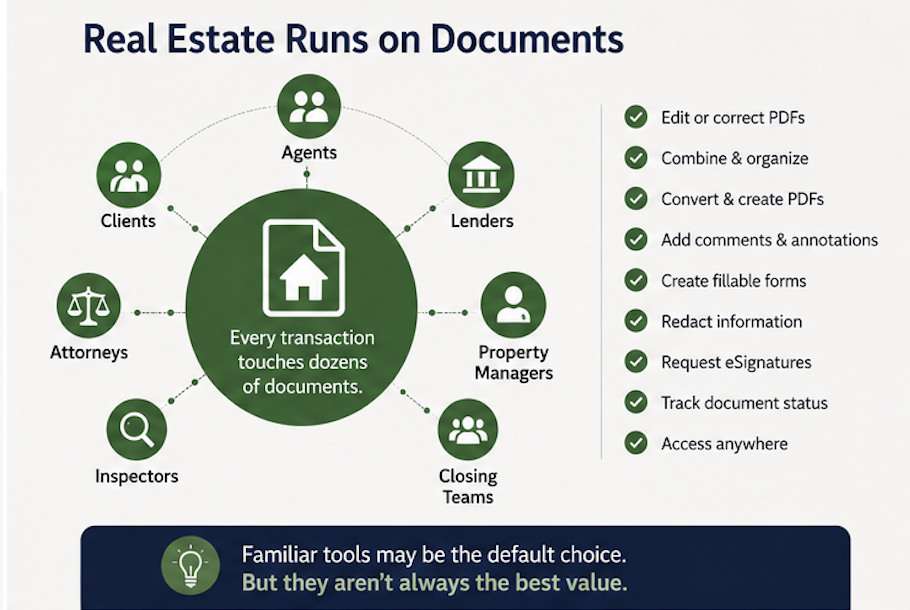
These are essential functions, but they are not necessarily unique functions.
Many professionals automatically turn to the best-known PDF and electronic signature brands because those products have become industry defaults. Familiarity, however, does not always mean they are the best financial or operational fit.
What Is Foxit?
Foxit provides PDF editing, document management, electronic signature, and document automation tools for individuals and businesses.
Foxit PDF Editor allows for document creation, editing, conversion, organization, form creation, OCR, security, collaboration, and other common PDF workflows across Windows, macOS, and the web. Foxit also offers perpetual licensing options for organizations that would rather buy software outright instead of adding another recurring subscription whose prices continue to increase indefinitely.
Foxit eSign allows users to send, sign, manage, and track agreements through legally binding electronic signature workflows. Foxit states that its eSignatures support legal frameworks including the U.S. ESIGN Act and UETA.
This is not just a cheaper PDF reader. It is an alternative for organizations that need professional document capabilities without buying the most expensive product in the market.
Use Cases for Real Estate
1. Preparing Listing and Purchase Documents
As an agent, you regularly receive documents that require minor corrections, additional pages, reordered sections, signatures, initials, or supporting attachments.
Foxit PDF Editor can help agents modify text, organize pages, merge files, add annotations, and prepare a clean document package before it is sent to a client or transaction partner.
Instead of repeatedly converting PDFs back into Word documents or printing, marking, and rescanning files, you can complete the work directly within the PDF.
2. Creating Fillable Client Forms
Real estate teams often use repeatable forms for buyer/broker agreements, seller information, showing feedback, rental applications, property details/disclosures, maintenance requests, and internal checklists.
Foxit can automatically recognize potential fields within an existing document and convert them into interactive fields. Users can also add text boxes, checkboxes, dropdown menus, buttons, and other form elements manually.
This can be especially helpful for brokerages or property management companies that still rely on static Word documents, scanned paperwork, or PDFs that were never designed to be completed electronically.
3. Sending Documents for Electronic Signature
Speed matters when an offer, amendment, lease, or disclosure needs to be signed.
Foxit eSign allows real estate professionals to send documents for signature, manage agreements, create reusable templates, and track completion. Its mobile capabilities can also help agents capture documents with a phone and move them into an electronic signature workflow without returning to the office.

4. Working With Scanned Property Records
Real estate professionals sometimes receive scanned surveys, tax records, inspection reports, historical agreements, repair invoices, and closing documents.
Optical character recognition, commonly called OCR, can convert scanned pages into searchable and editable content. This makes it easier to locate addresses, names, dates, dollar amounts, or contract provisions without manually reading every page.
It can also help you and your teams organize older property files that were originally saved as image-only scans.
5. Combining Transaction Documents
A real estate transaction rarely arrives as one perfectly organized file.
Agents may need to combine a contract, disclosure package, financing letter, amendment, inspection report, and several supporting documents. PDF software can consolidate those separate files into a single organized package and remove unnecessary pages before the documents are shared.
That creates a more professional experience for the client and reduces the likelihood of sending an incomplete or confusing document set.
6. Protecting Sensitive Information
Real estate documents can contain financial details, identification information, signatures, addresses, banking instructions, and other confidential data.
Professional PDF software can help users apply password protection, permissions, redaction, access controls, and other document security measures.
Foxit’s updated document management capabilities also include features such as version control, controlled access, retention automation, metadata search, and audit-oriented reporting in supported regions and plans.
Technology alone does not eliminate fraud or compliance risk, but stronger document controls are better than sending uncontrolled files through personal email accounts and loosely managed folders.
Who Could Benefit from Foxit?
Foxit may be worth evaluating for:
- Residential and commercial real estate agents
- Independent Realtors
- Real estate brokerages
- Transaction coordinators
- Property management companies
- Leasing teams
- Real estate investors
- Homebuilders and developers
- Mortgage and title professionals
- Real estate attorneys
- Administrative and operations teams
The potential value increases when an organization has multiple employees paying separately for PDF editing or electronic signature subscriptions.
A brokerage with 20, 50, or 100 users may find that even a modest per-user price difference becomes meaningful over several years.
In Summary
Real estate professionals need reliable tools for editing, organizing, protecting, and signing documents.
They do not necessarily need the most expensive tools on the market.
Foxit offers a credible alternative for agents, brokerages, property managers, investors, and other real estate organizations that want professional PDF and electronic signature capabilities while keeping software costs under control.
Its worth it to review how documents move through the business, identify which features you or your employees actually use, and choose the platform that provides the best balance of functionality, usability, security, and cost.
RootPath Advisors can help organizations compare technology providers, understand licensing options, and choose solutions based on their actual requirements rather than brand recognition alone.
Before your next PDF or electronic signature renewal, it may be worth checking whether your current platform is still earning its place in your budget.